
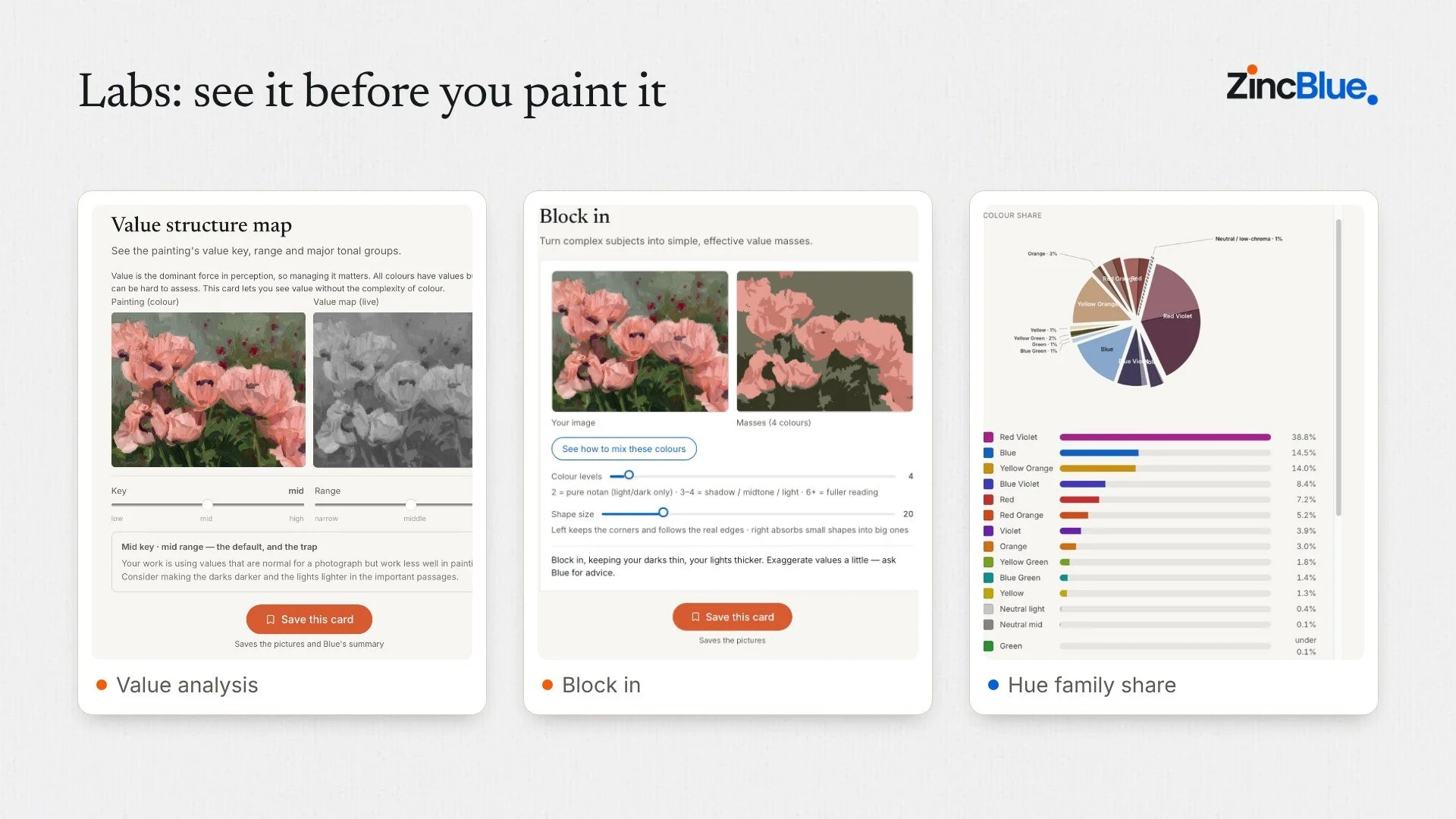
Labs provide specific help with the things that will turn a good painting into a great one. From starting out to adjusting and getting that perfect finish they will help you see what’s possible and provide syep by step bespoke advice on how to turn what you discover into your next painting step.
Labs are ZincBlue's hands-on diagnostic tools. Blue, your studio mentor, talks you through your painting; a Lab shows you. Each Lab takes your picture and isolates one thing a painter needs to see clearly: the value pattern, the colour, the drawing or the big shapes. Some let you test a change before you make it on the canvas.
You'll find the Labs in the right-hand rail beside any project. Open one, look, move the sliders, and when it tells you something useful, save the card. It keeps the pictures and Blue's summary, so the finding stays with the painting. And because Labs are contextual, they work with your project and with Blue: you can take a question from chat into a Lab and bring the answer straight back. There's more on that below.
Why Labs matter
Most problems in a painting aren't problems of effort. They're problems of seeing. Values that look right in colour turn out to be all the same in grey. A green that felt cool is warmer than everything around it. A busy composition is really three shapes fighting for attention.
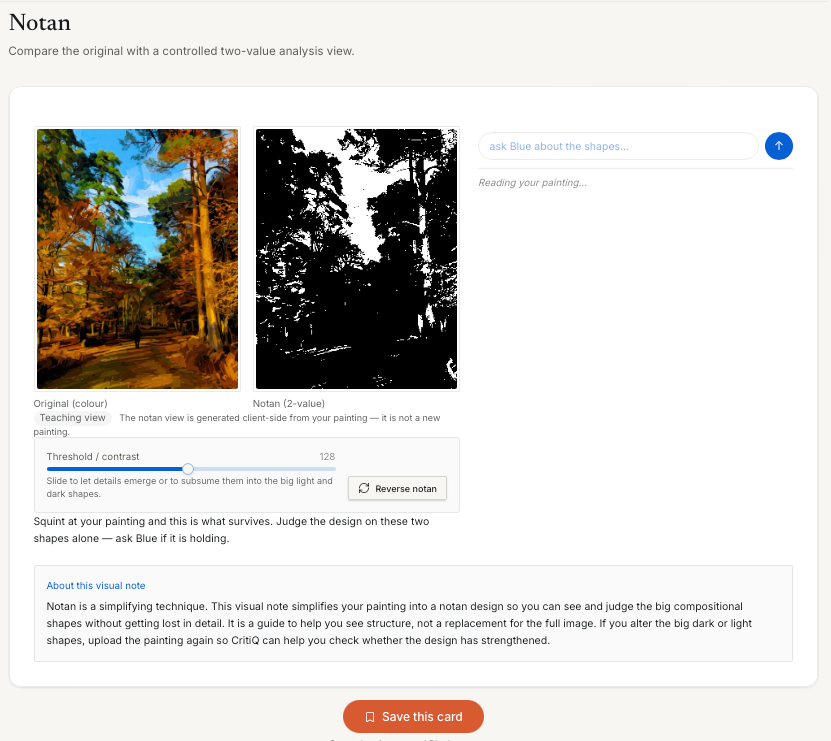
Painters have always had tricks for seeing past this: squinting, turning the canvas upside down, checking it in a mirror, making a small notan sketch before starting. Labs are those tricks, made precise and instant, on your own painting.
Labs on every plan
Every membership includes Labs. The plans differ in how many, and each includes everything in the one before it.
Monthly: 3 Labs, the starter set, and 3 deeper answers a month
Annual: 8 Labs, the core set, and 5 deeper answers a month
Pro: all 12 Labs, the complete set, and unlimited deeper answers
Monthly: the starter set
Three Labs for seeing the big picture and mixing the colour you see.
Notan note. Reduces your picture to two values, light and dark, so you can see the massing underneath it. If the notan doesn't hold together, no amount of detail will rescue the painting.
Squint test. Blurs your picture the way squinting does, with a slider to set how much. Detail drops away and the value masses are left, which is how a viewer first reads your painting from across the room.
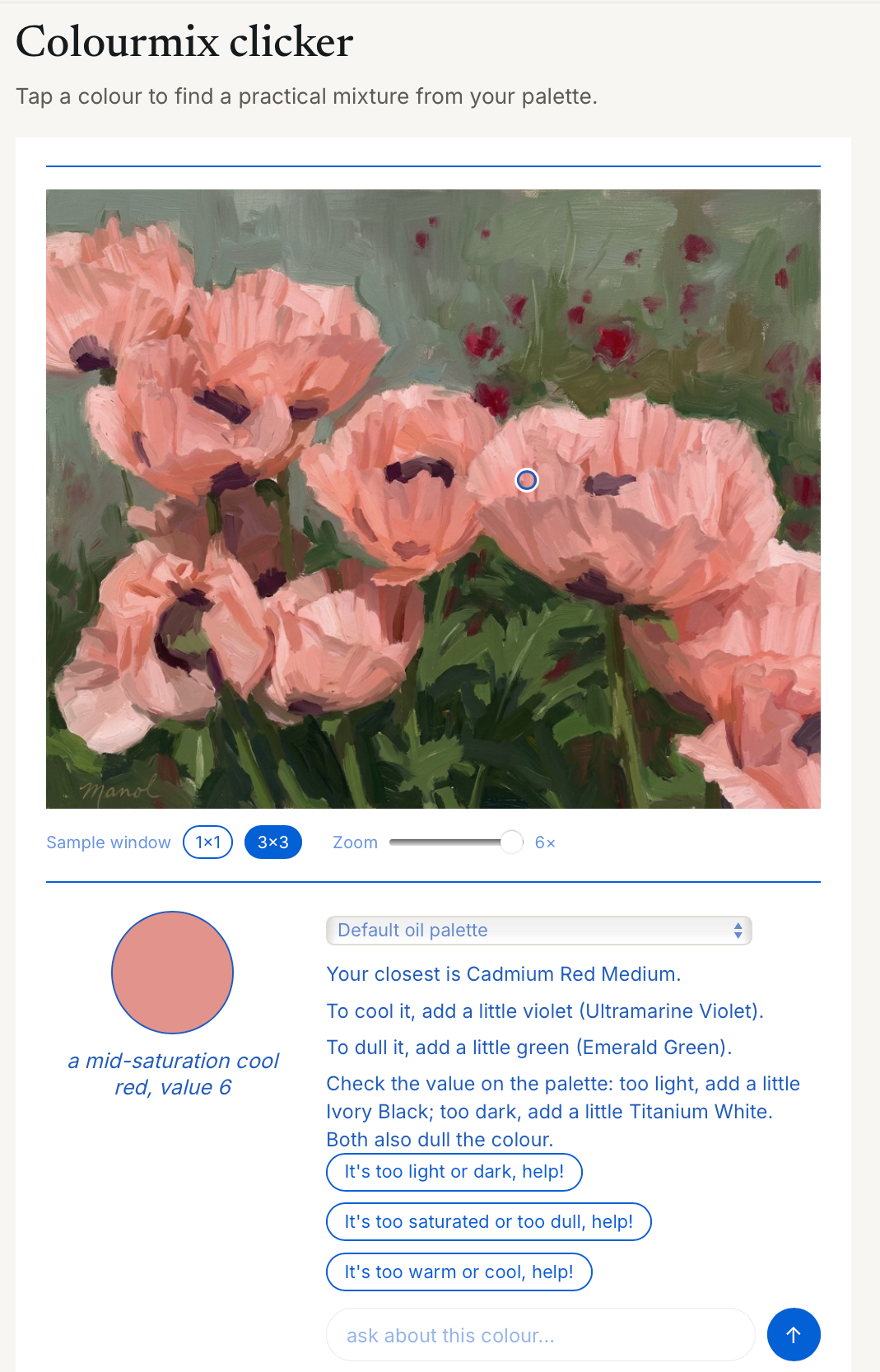
Colourmix clicker. Tap any point in your picture and it suggests one to three tubes, with the ratios to mix that colour.
Annual: the core set
Everything in Monthly, plus five Labs for simplifying a subject and testing colour decisions before you commit paint to them.
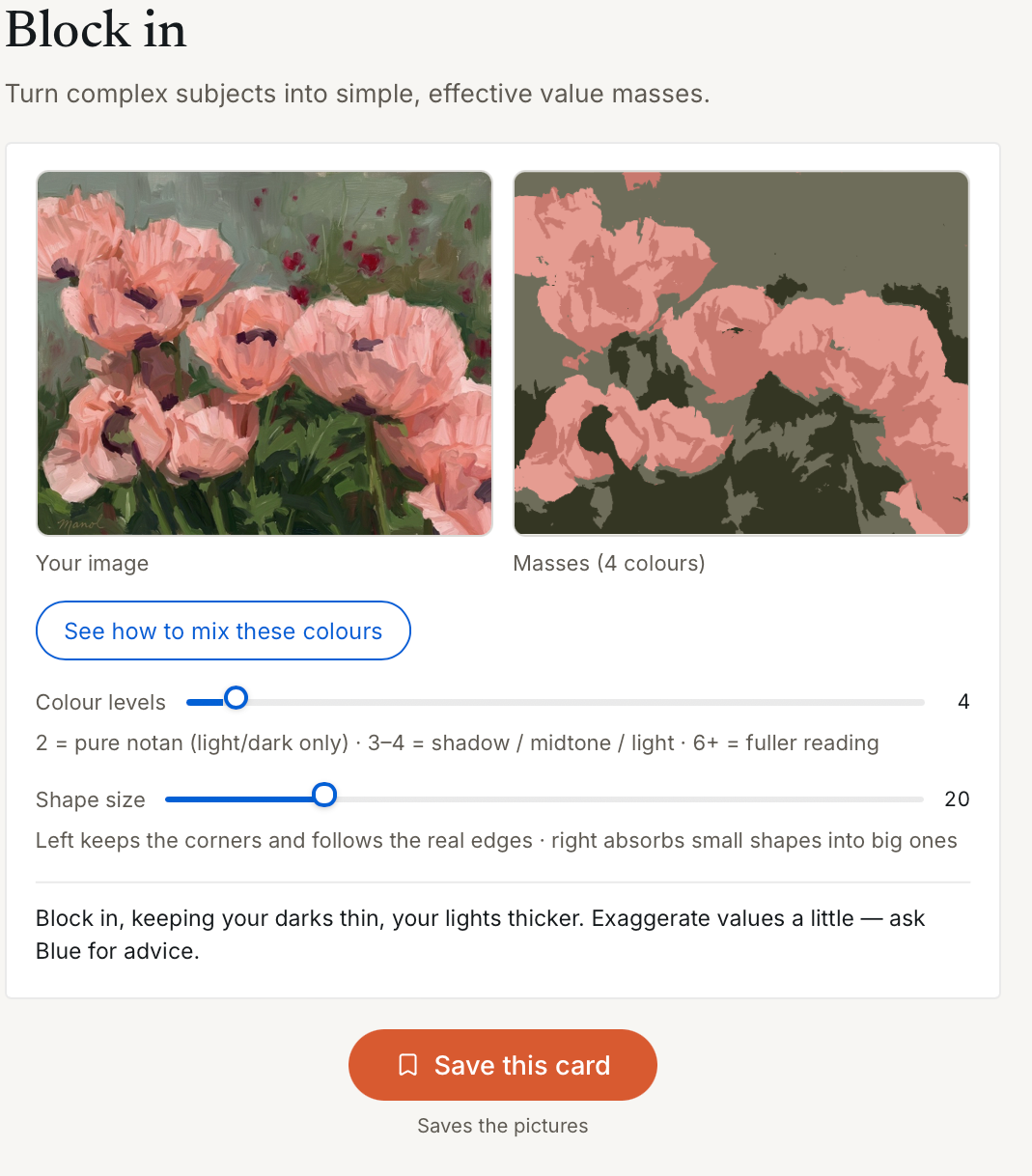
Block in. Turns your picture into a few flat value shapes: the plan for your first block-in. A slider sets how many levels. Two levels gives you a notan; three or four gives you shadow, midtone and light, which is where most good paintings start.
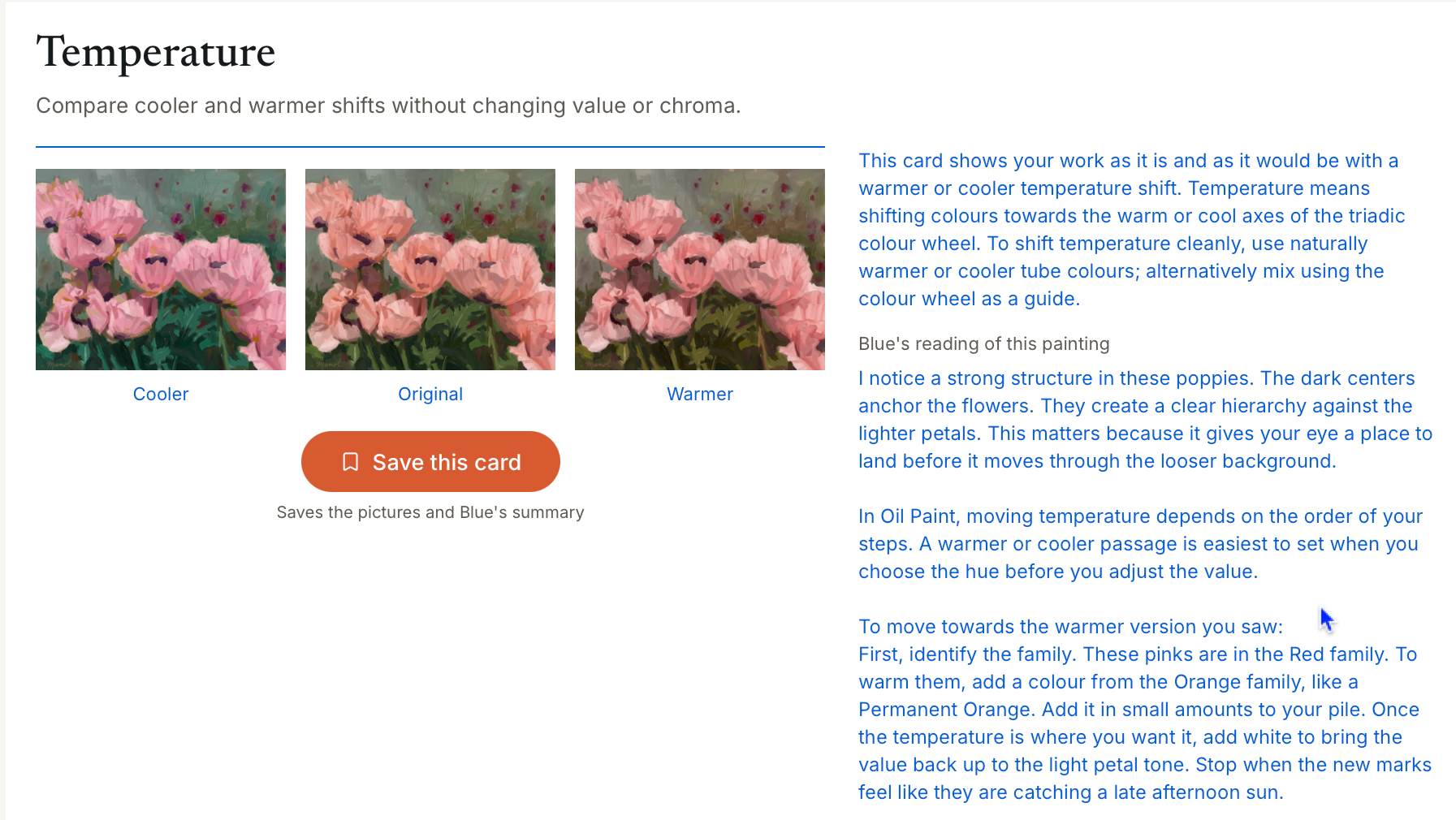
Temperature visualiser. Shows your picture one step cooler and one step warmer, side by side with the original. Use it when a passage feels wrong but you can't say why: often it's temperature, not value, that is off.
Colour tone visualiser. Shows a darker shade and a lighter tint of your picture, with hue and saturation held steady, so you can judge whether a passage needs lifting or dropping without changing its colour.
Saturation visualiser. Shows your picture a step duller and a step more saturated. Most paintings that look garish are simply too saturated in too many places; this makes that easy to see before you reach for the tube.
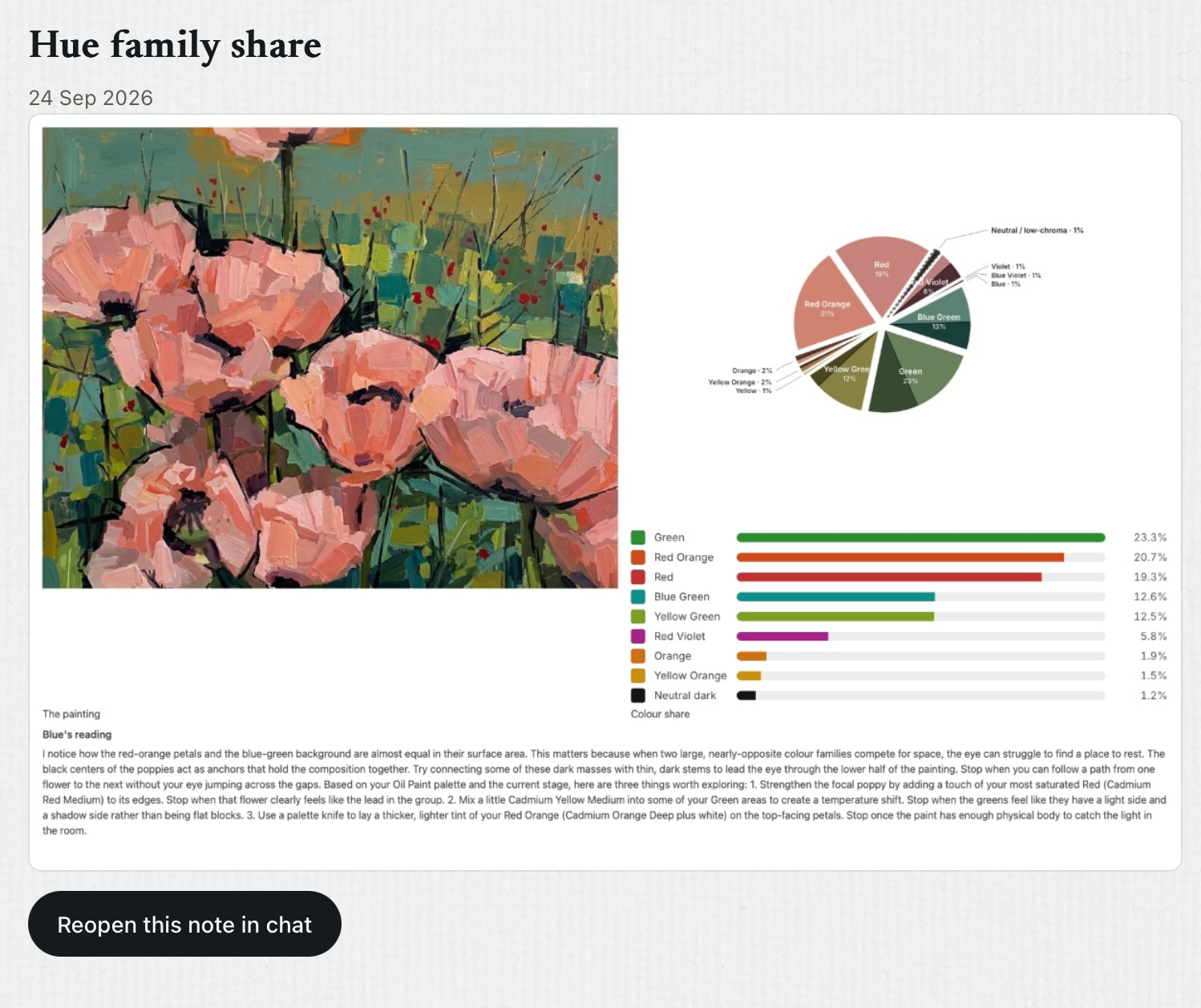
Hue family share. Measures how much of your picture belongs to each colour family and shows it as a chart. It tells you at a glance whether you have a dominant colour, a supporting one and an accent, or a muddle of equals.
Pro: the full studio
Everything in Annual, plus four Labs for drawing, planning the underpainting and reading value and colour the way a tutor would. This is the set for painters who want to work through a picture properly, from first lines to final accents.
Line drawing. Finds the places where tone changes fast enough to be worth drawing, and gives you a clean line drawing of your subject. It is a guide to where the important edges are, not a tracing: use it to check your proportions and placement before you start painting.
Underpainting lab. Shows your picture as a single-colour underpainting on one of three grounds, so you can plan the tonal base beneath the colour. Try each ground and see which one gives your painting the right temperature to build on.
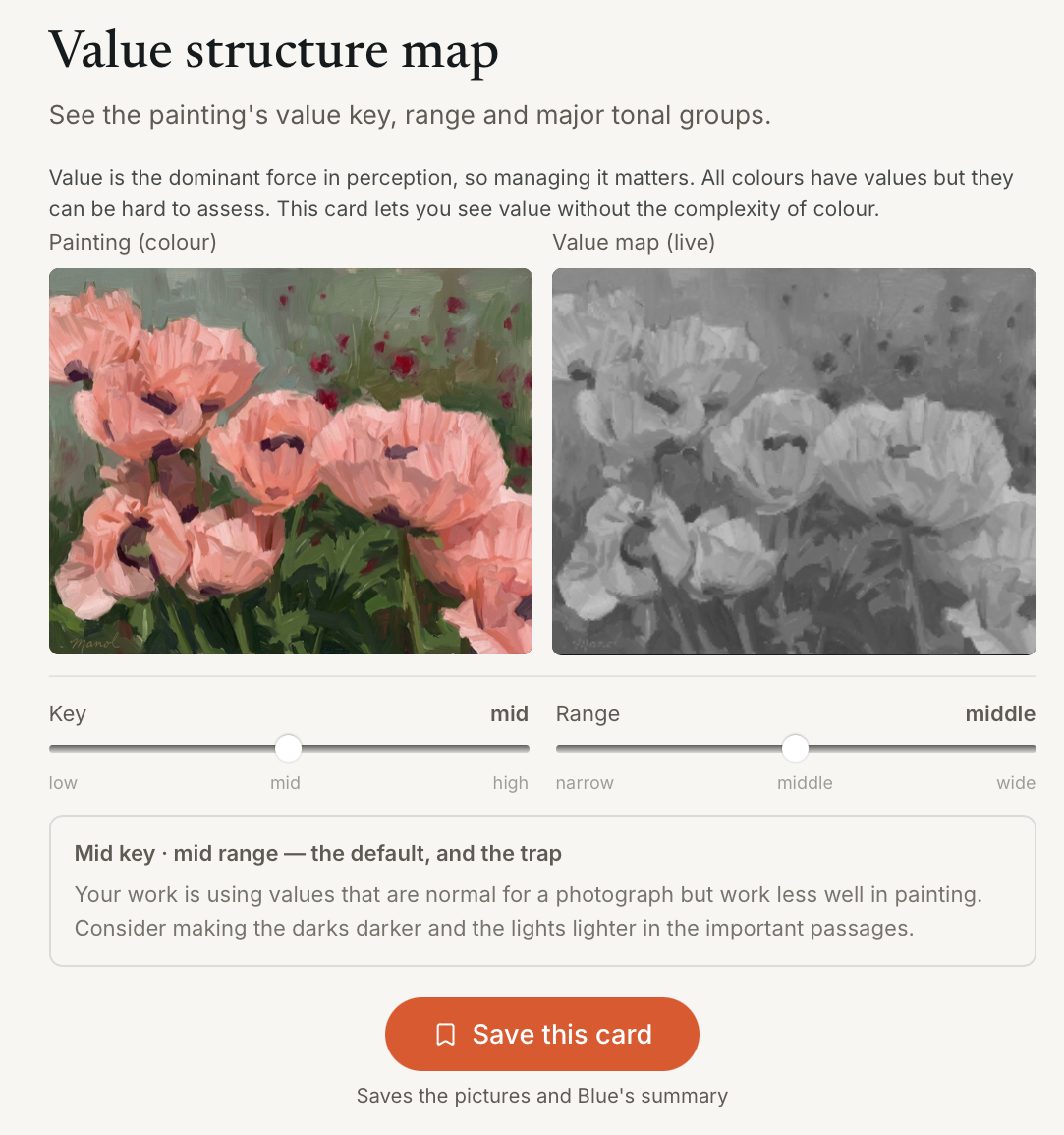
Value analysis. Maps your picture across a 10-point value scale and tells you its key (how light or dark it is overall) and its range (how far apart the darkest and lightest values sit). A mid key with a mid range is normal for a photograph, but it often makes a weak painting; this Lab shows you where to push the values apart.
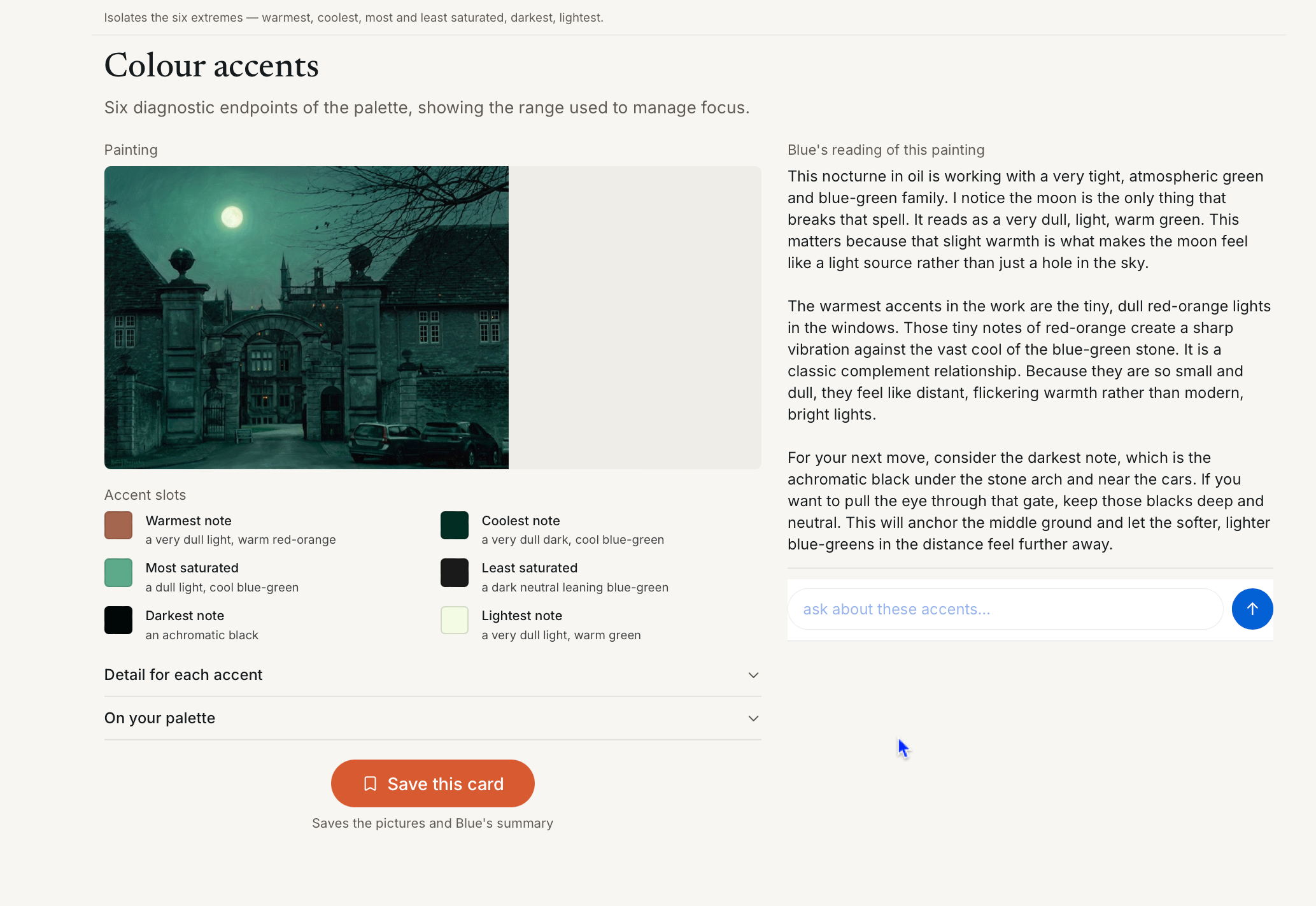
Colour accents. Picks out the six extremes in your picture: the warmest, the coolest, the most and least saturated, the darkest and the lightest. These are the notes the eye goes to first, so it is worth knowing where they are and whether they sit where you want the viewer to look.
Labs work with your project and Blue
Labs aren't stand-alone filters. They are contextual: they know which project you're in, which painting you're working on and what you've been talking to Blue about.
A typical session moves in a loop. You talk a painting through with Blue in chat. The painting and the conversation live in your project folder. When a question needs a closer look, such as whether the values are too close or whether a passage is too warm, you open a Lab and it starts on that project's current painting, with nothing to upload again. Tap Ask Blue and the Lab's reading goes back into the conversation, so Blue answers about exactly what you're both looking at. Save the card, and the pictures and Blue's summary are filed with the project, alongside your chat notes, ready for the next session.
Chat, project, Lab, and back again. It's like having a tutor who can stop the conversation, take one aspect of your painting into the studio, look at it properly and come back with a specific answer.
Deeper answers
When a question needs more than a quick reply, Blue can give you a deeper answer: a fuller, more considered response that goes further into the painting, the technique or the history behind it.
Monthly: 3 deeper answers a month
Annual: 5 deeper answers a month
Pro: unlimited deeper answers, with richer, more detailed replies
Pro is designed for tutors, researchers and scholars, and for anyone who wants to work through a painting, or a body of work, in real depth.
Getting the most from Labs
Start with value. Run the Squint test or Notan note before you think about colour. If the value structure doesn't work, colour won't save it.
One question at a time. Each Lab isolates one thing. Pick the Lab that matches the question you're asking, rather than running them all.
Test before you paint. Use the visualisers to try a change on screen before you commit it to the canvas.
Save as you go. Saved cards build into a record of how the painting developed and what you changed.
Ask Blue. A Lab shows you what is there; Blue helps you decide what to do about it.
See every feature on the features page, or compare plans on the pricing page.