ZincBlue offers much more than educated opinions - it can analyse your palette, help you mix colours, compose images, block in and more . Explore totally personalised studio mentoring.
ZincBlue Features

Explore Features
-
![]()
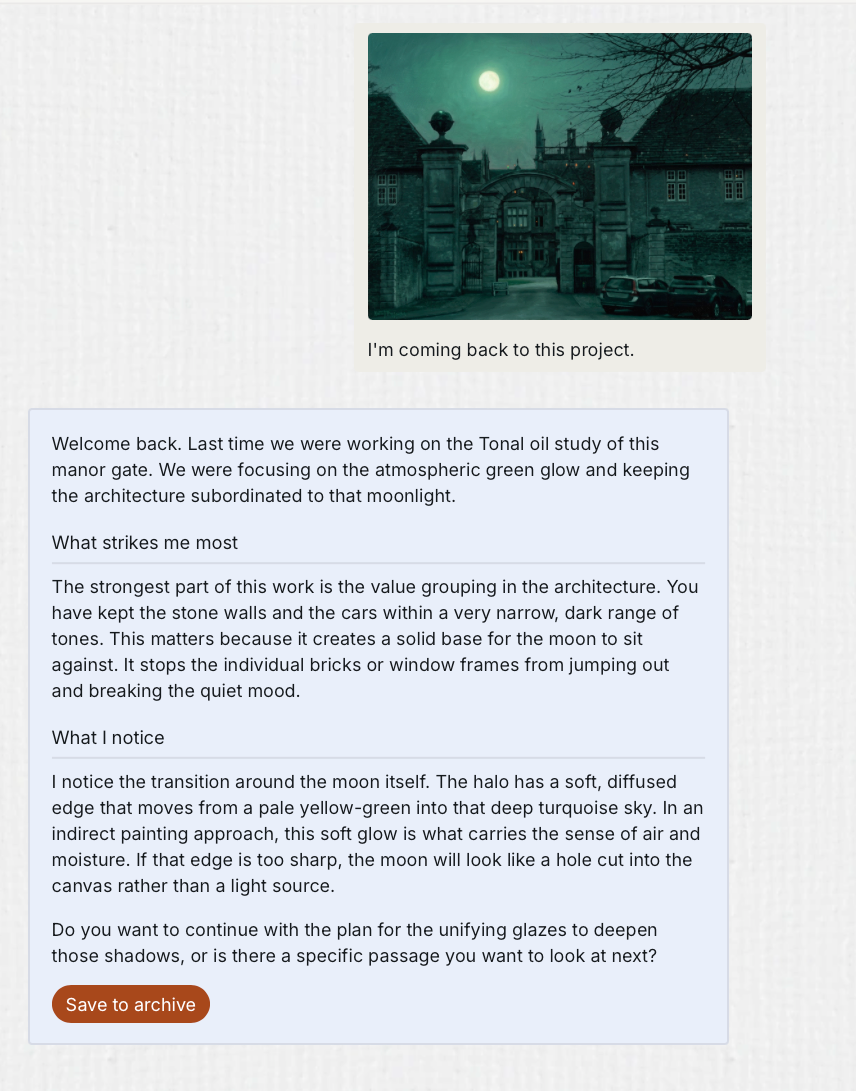
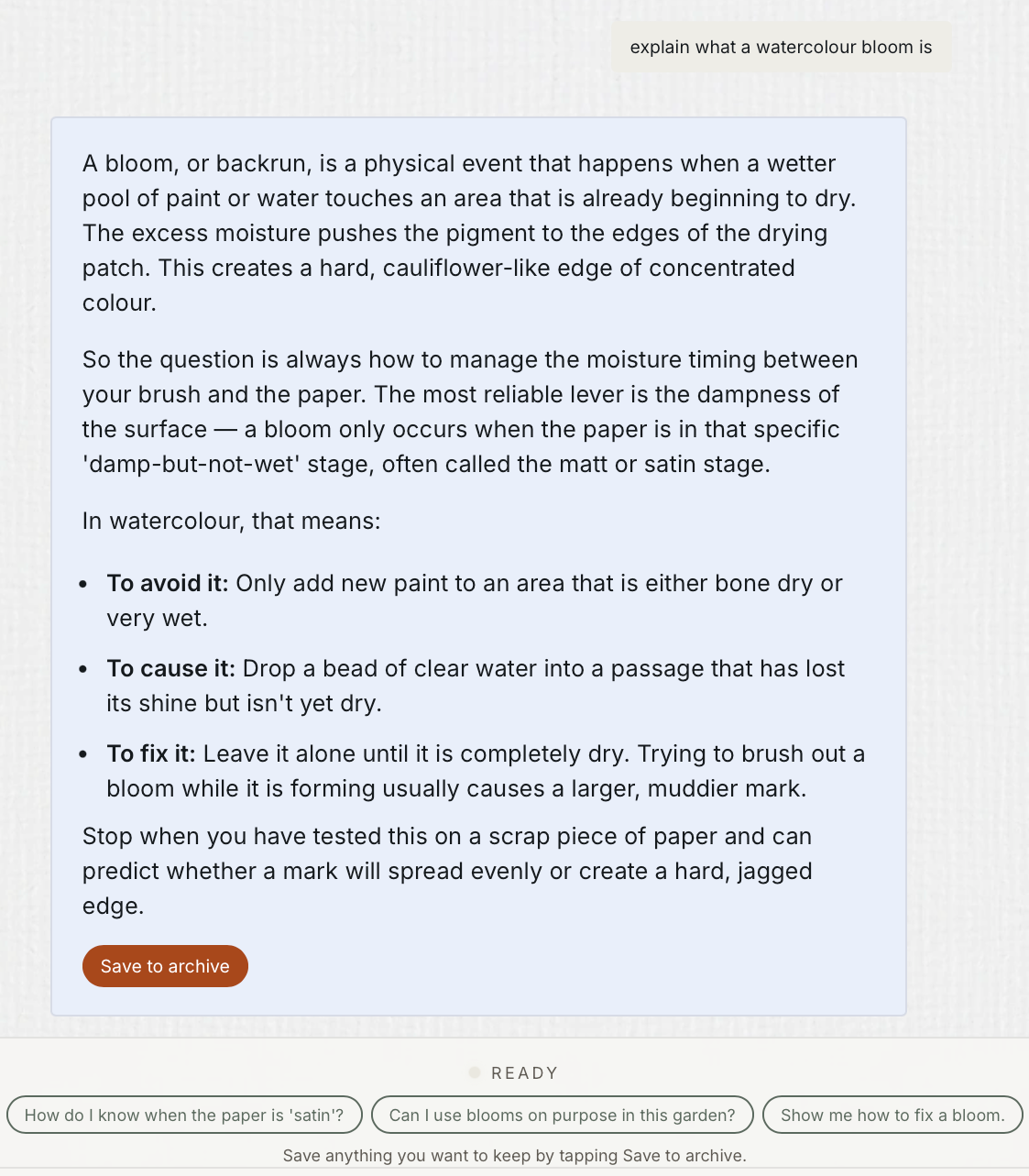
Blue: Studio Chat Engine
Blue turns Zinc’s analysis into clear, painter friendly guidance. It translates measurements and assessments from the Zinc engine into practical plans, explanations and medium specific advice you can use at your easel.
ZincBlue is not AI generated critique but a proprietary teaching system that creates 96% of each chat; Blue, the built in chat engine, turns information into communication using an AI text formater which translates Zinc’s knowledge into easy to use plans.
-
![]()
Zinc Colour Engine
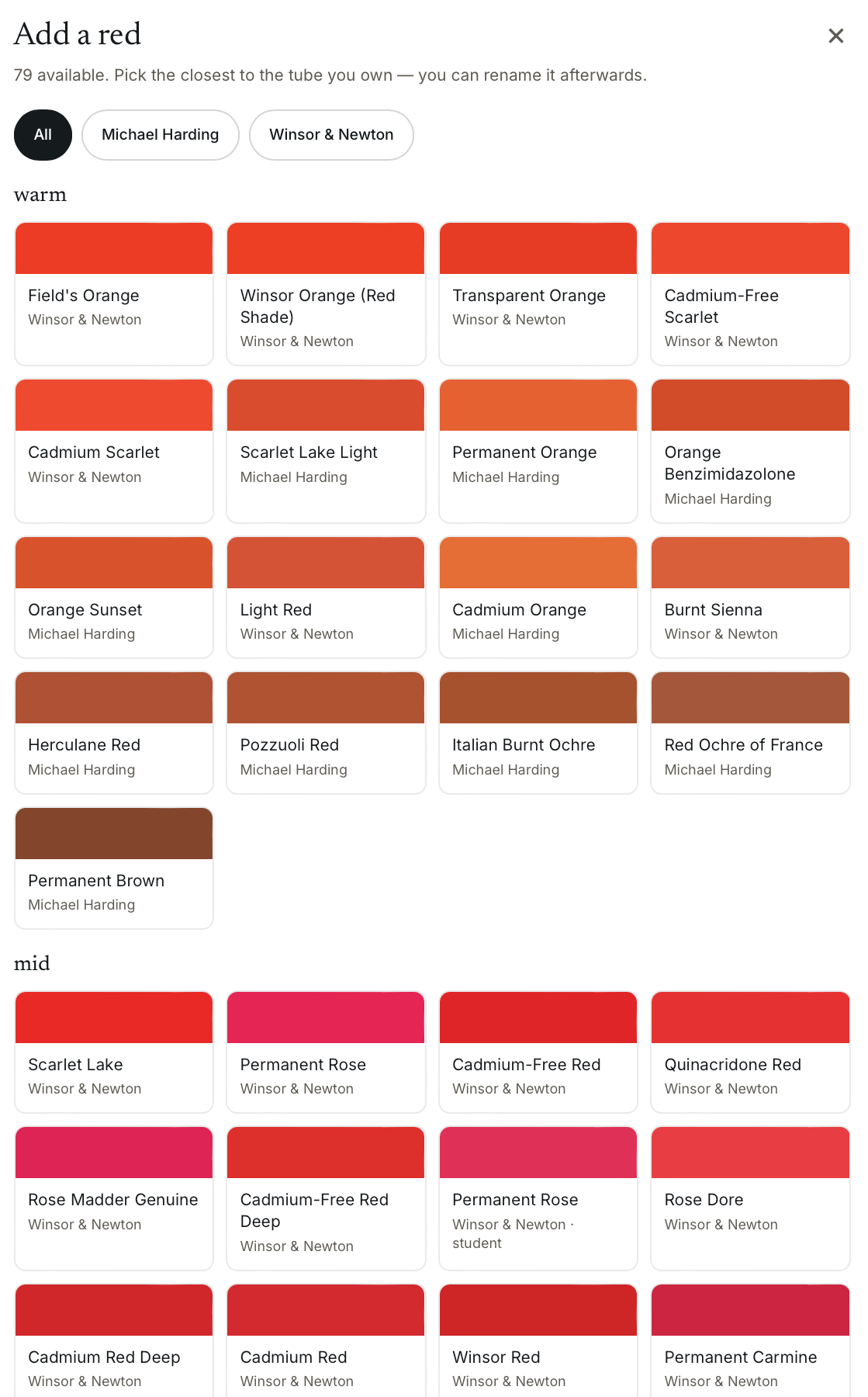
Digital colour is not physical colour. ZincBlue bridges the gap, matching colours from your image to more than 700 real artists’ paints, then advising you how to find mixes in your chosen medium, and even to a palette you set.
You get the convenience of digital analysis with colour advice that works with a library of over 700 real watercolour, oil, gouache, acrylic and water mixable oil colours.
-
![]()
Compare Engine
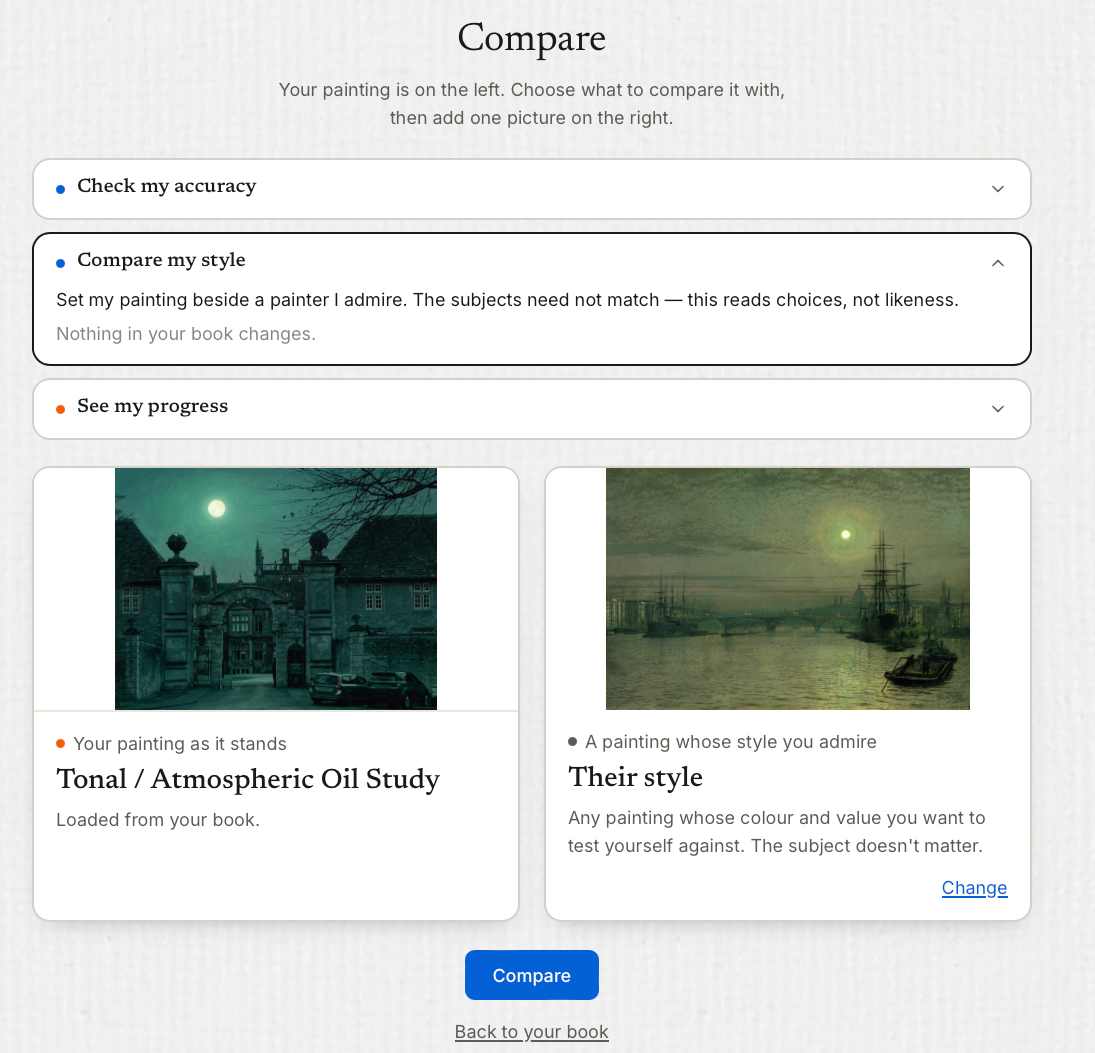
Seeing the difference makes improvement possible. ZincBlue has several comparison modes to help you to compare your work to a reference, across stages, or stylistically, against paintings you are studying, then turns those observations into a bespoke gap mentoring plan.
It shows you what has changed, what still needs attention, and how to close the distance between nearly right and resolved is right now.
-
![]()
Critique Engine
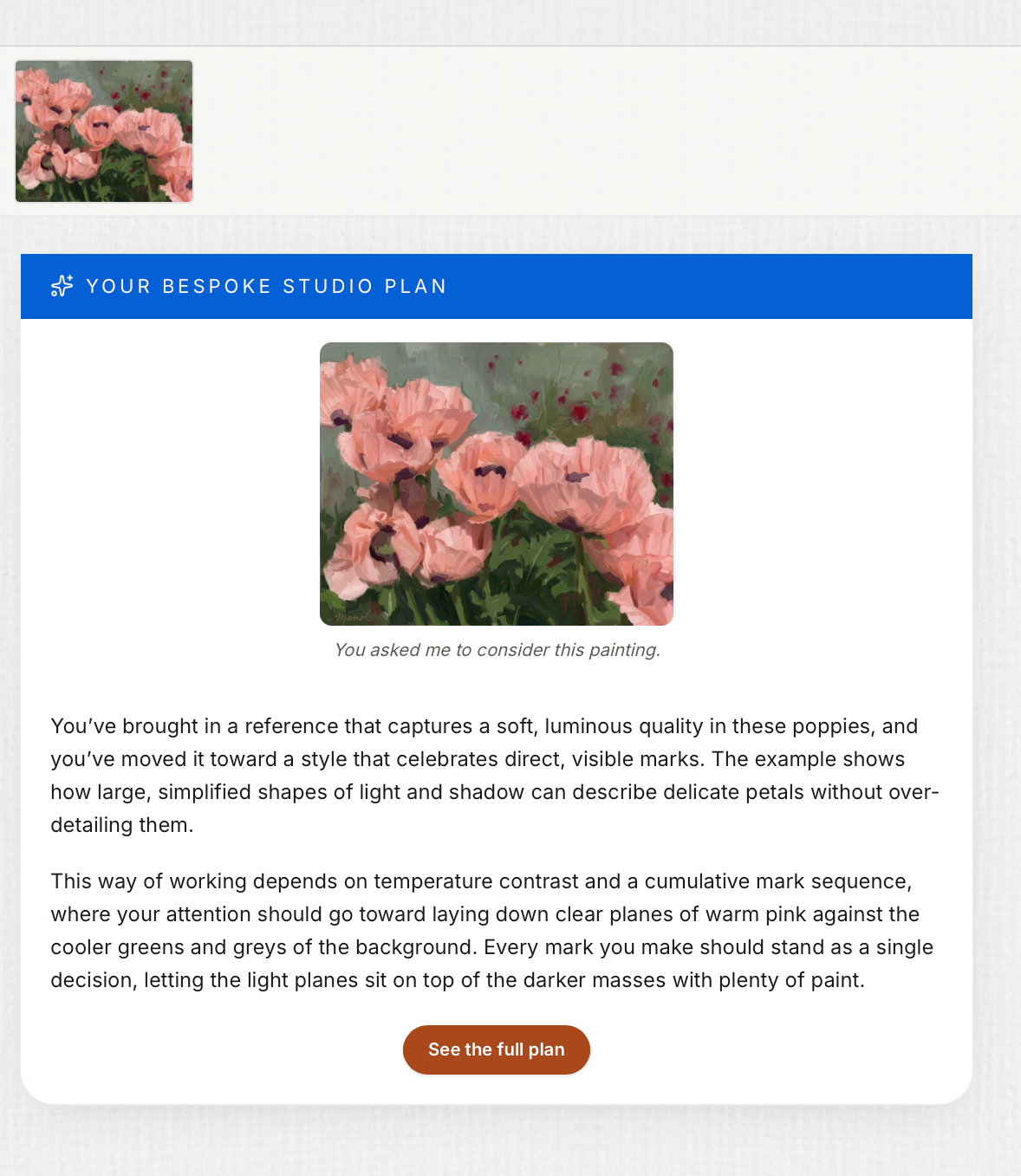
Critique grounded in real studio practice. ZincBlue analyses your work through a proprietary teaching engine built from more than twenty years of painting, mentoring and critique. It is designed to look, diagnose and offer practical options in the same way an experienced tutor does at the easel; turning close visual analysis into clear choices for what to do next.
Critiques are not just generic praise but actionable step by step plans with options you can follow up interactively in chat.
-
![]()
Colour Labs
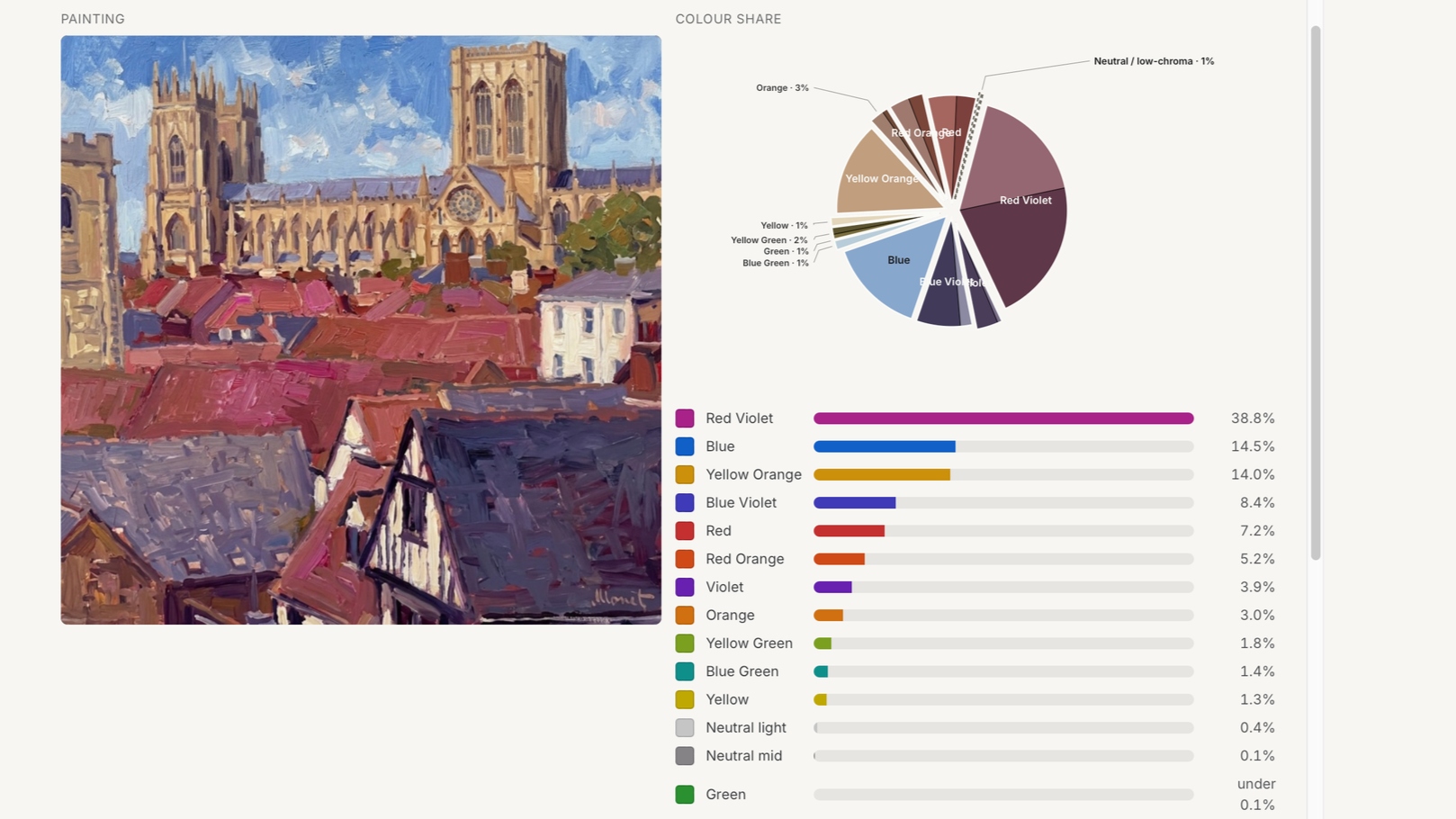
Make colour theory useful at the easel. ZincBlue’s specialist Colour Labs work directly with the painting you are developing, helping you understand why its colour works, where accents sit, how temperature and saturation are behaving, and how to mix difficult colours. See colour more clearly and use it with greater control.
ZincBlue’s colour model is closely aligned witrh real world painting colours - so it won’t work with digital colours you can’t mix on your palette.
-
![]()
Value Labs
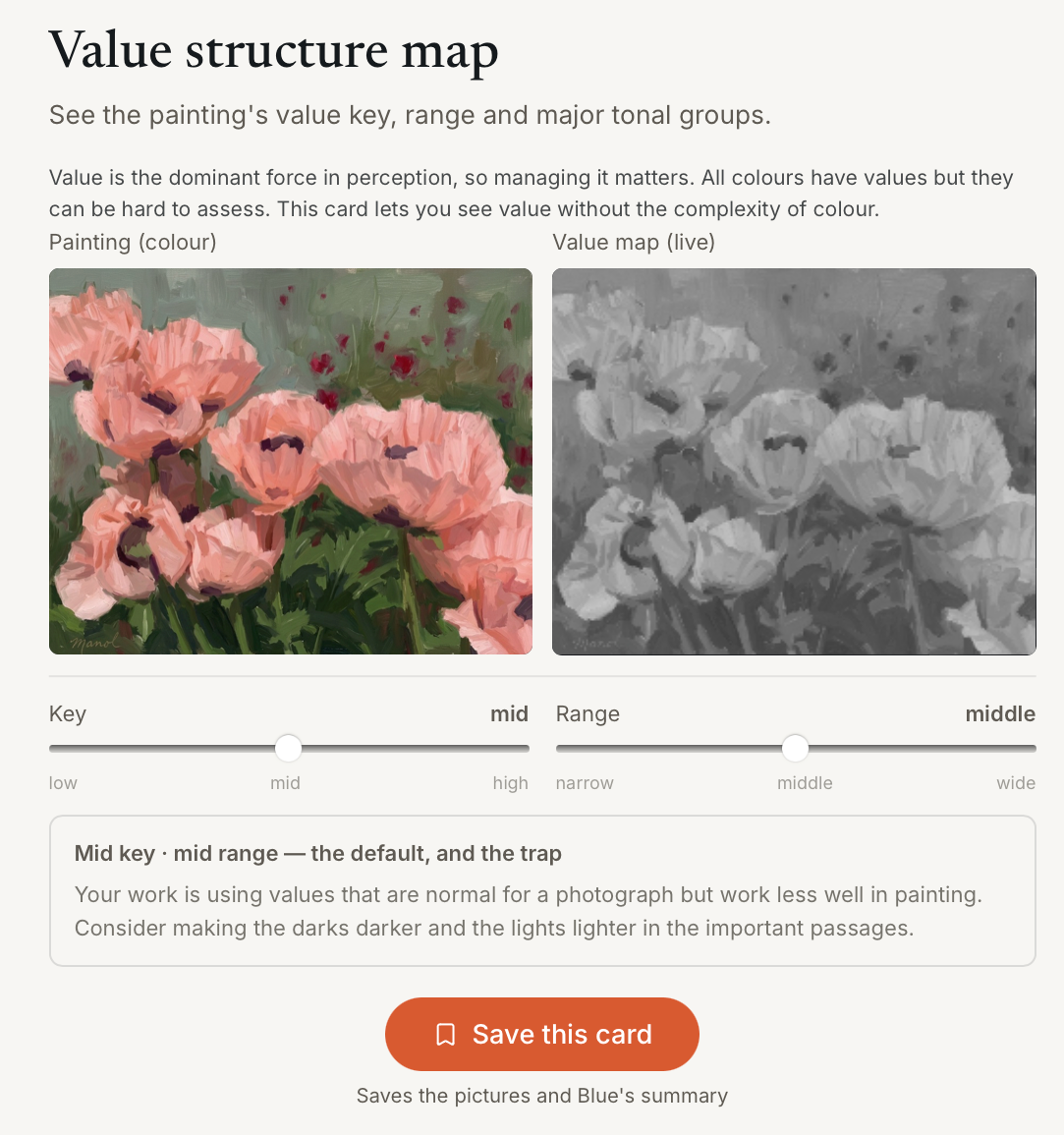
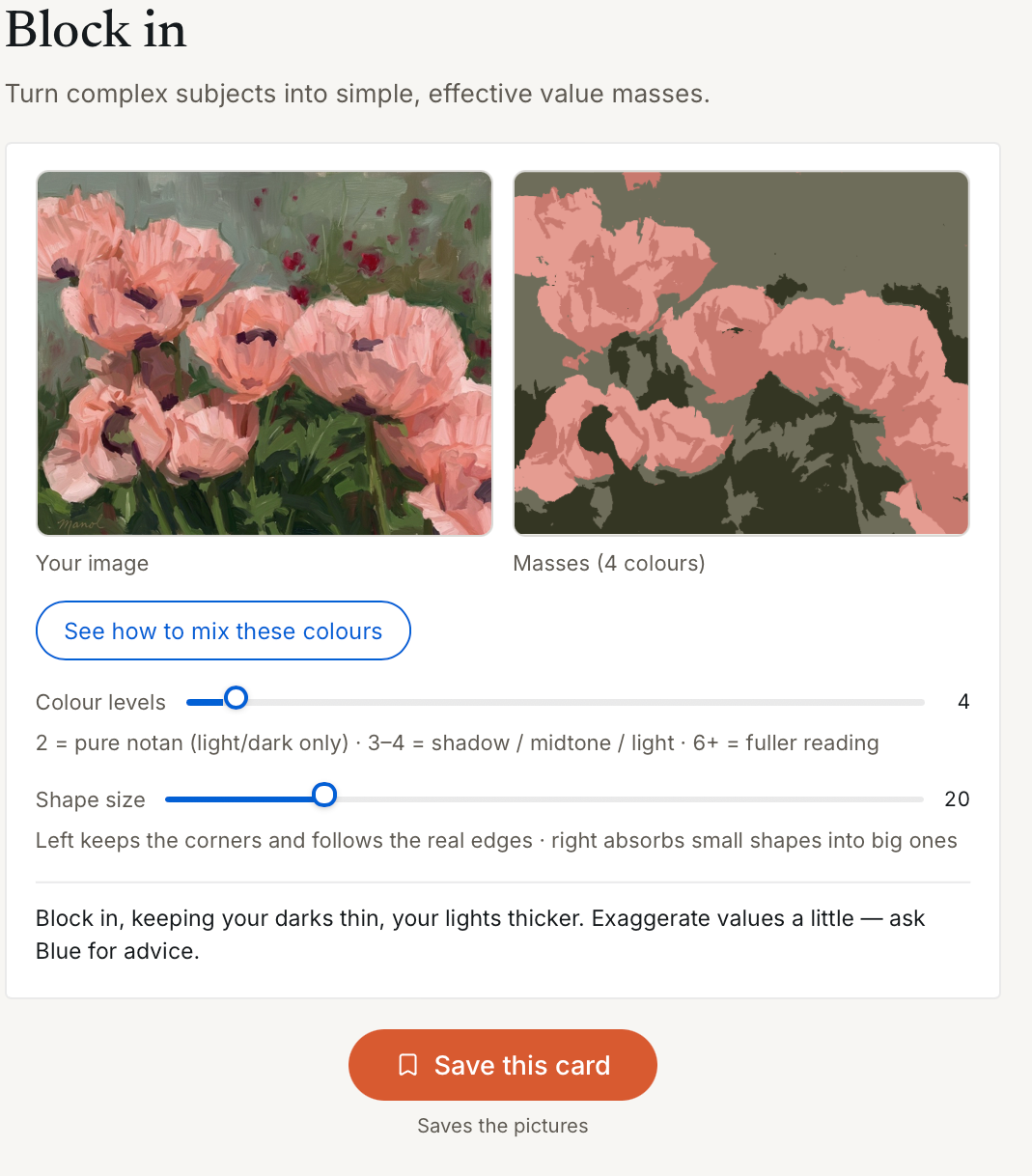
Values are the key to dramatic traditional paintings and make colourful ones more impactful. ZincBlue has a range of Value Labs that let you see the values of your colours, find masses, create better compositions and set the best value plan for your style.
It can preview what changing your values will do, and help you to plan to make those changes using the colours in your palette.
-
![]()
On demand Recipes
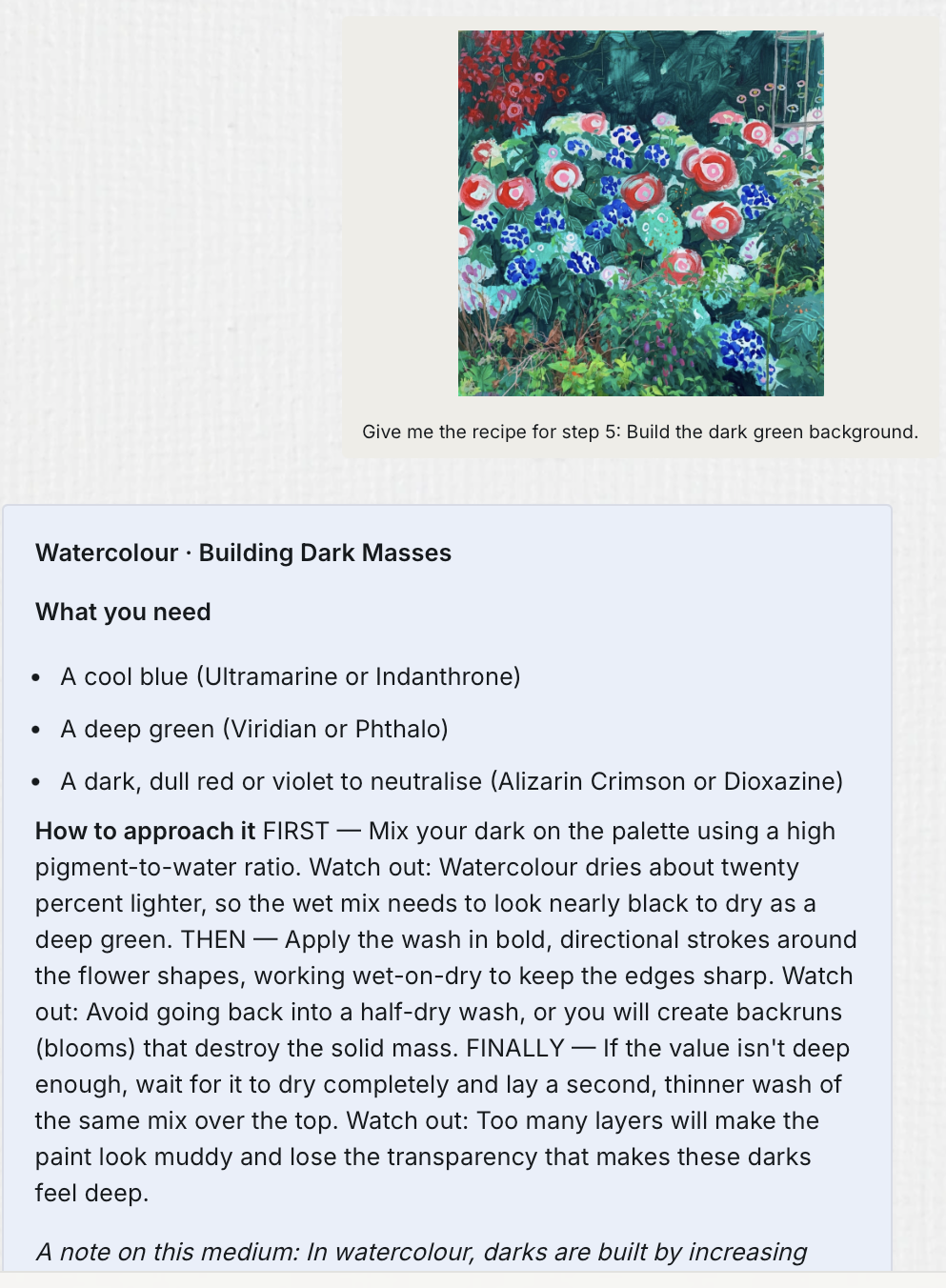
Never guess how to use the right technique again. ZincBlue can explain each step of a painting process for your work on demand, tell you what you need to do, how to do it and lay out a working sequence in straightforward non technical language.
If you need more guidance, Blue’s chat can offer as much or as little extra specific advice as you like.
-
![]()
ZincBlue Visualiser
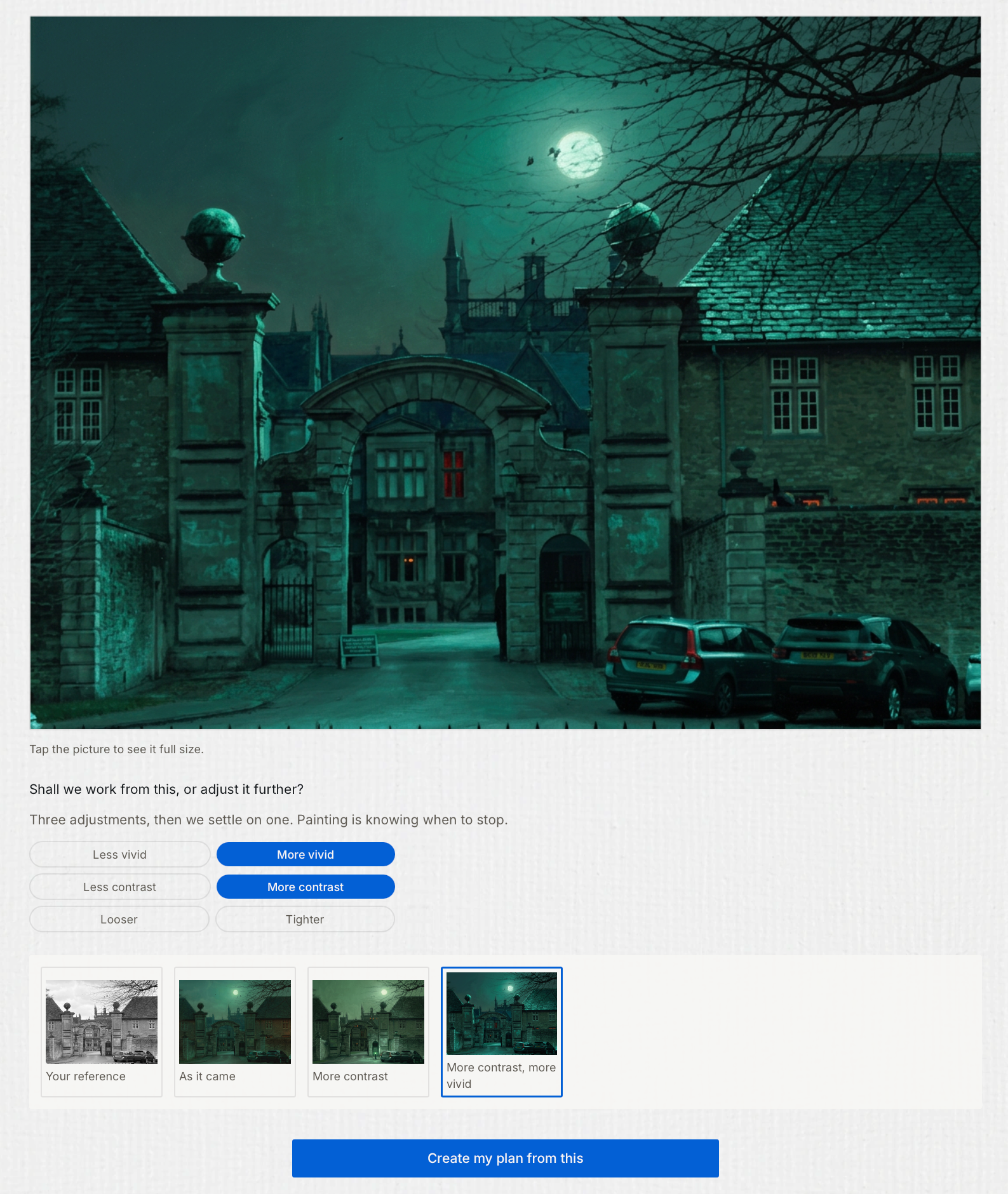
Curate your visual sources into your own inspirational painting reference with a bespoke plan to make it . ZincBlue Visualiser helps to develop your idea, sketch, or source image, into an optimised painting reference, giving you a clearer, stronger starting point for work you decide to make.
Visualiser helps you to make versions of your reference with stronger colour, values and more or less detail - the perfect way to nuance your painting plan.
-
![]()
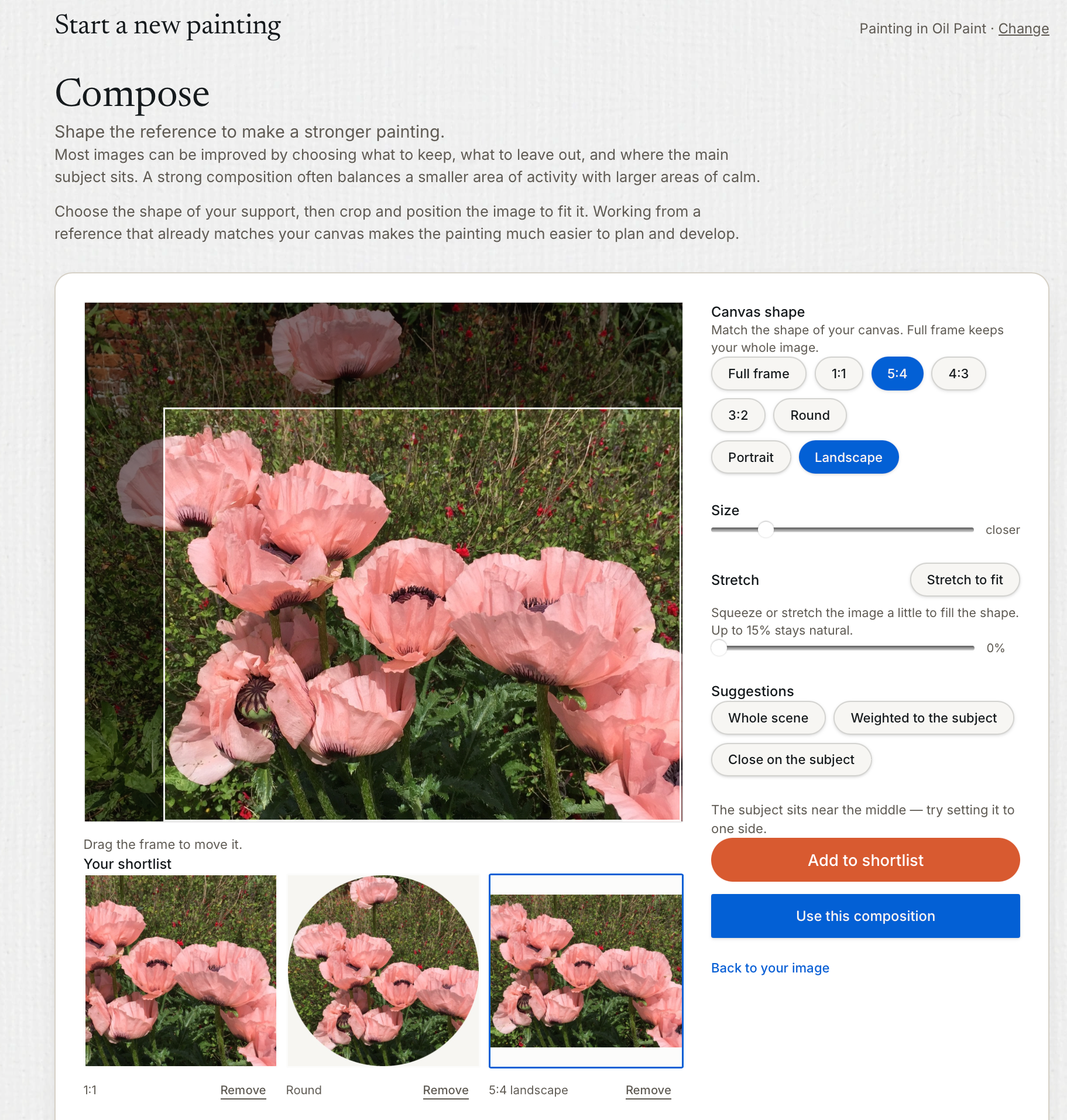
ZincBlue Composer
Make the reference fit the painting, not the other way around. ZincBlue Composer helps you crop, scale and adjust your reference to the optimal shape and proportions of your canvas, and lets you design and compare up to three compositional options before you commit to the one you love most. Better composition starts here.
-
![]()
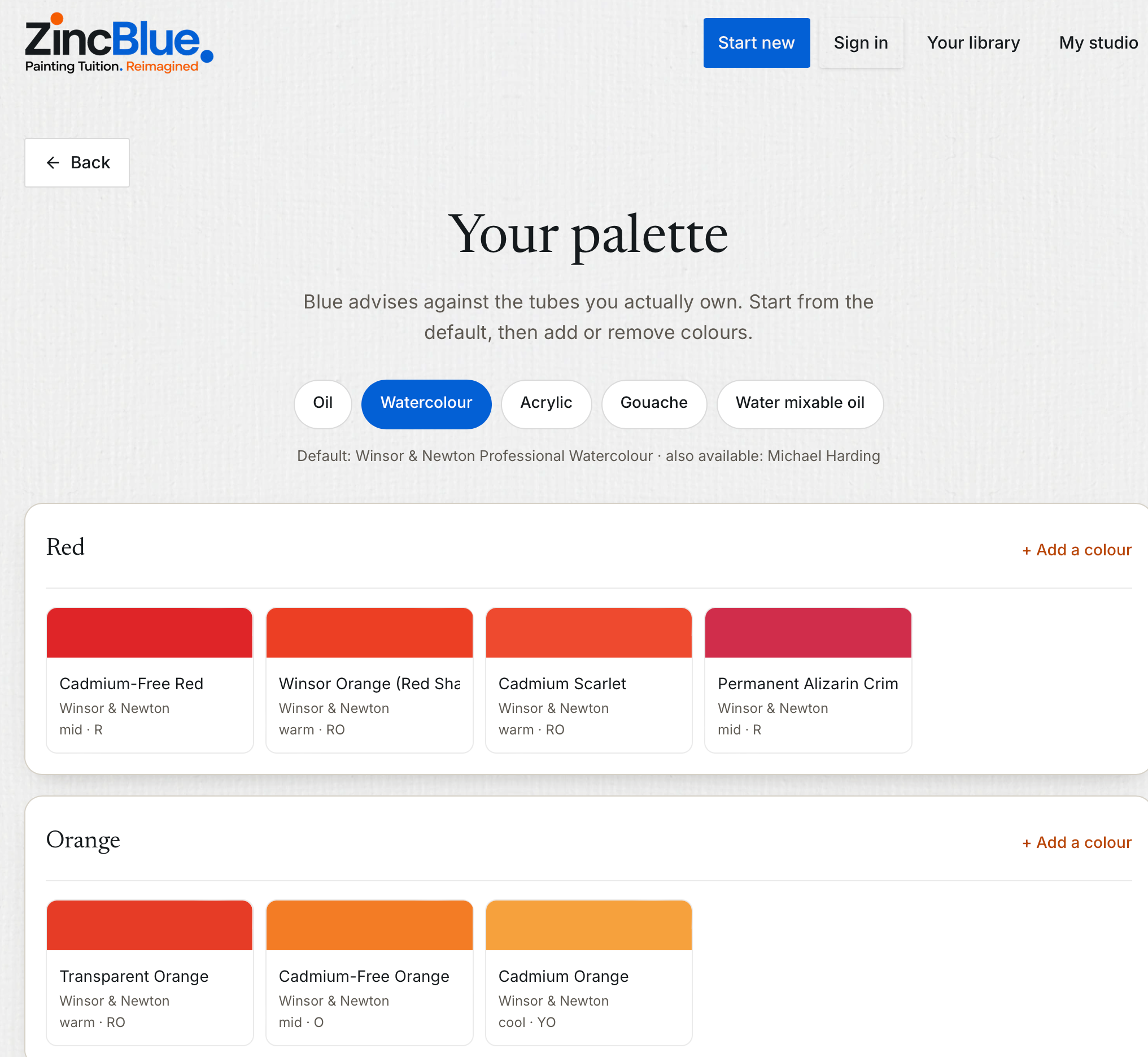
Palette Manager
Your palette defines your colour world. ZincBlue comes with default palettes in all mediums which you can easily edit to the actual colours you use from a library of over 700 real world colours.
Using your bespoke palette it can work with the colours you prefer and use, avoiding offering mixes for colours your palette cannot make, and help you to discover what extending your normal palete would do.
ZincBlue keeps colour mixing personal to your materials, your choices and your style.
-
![]()
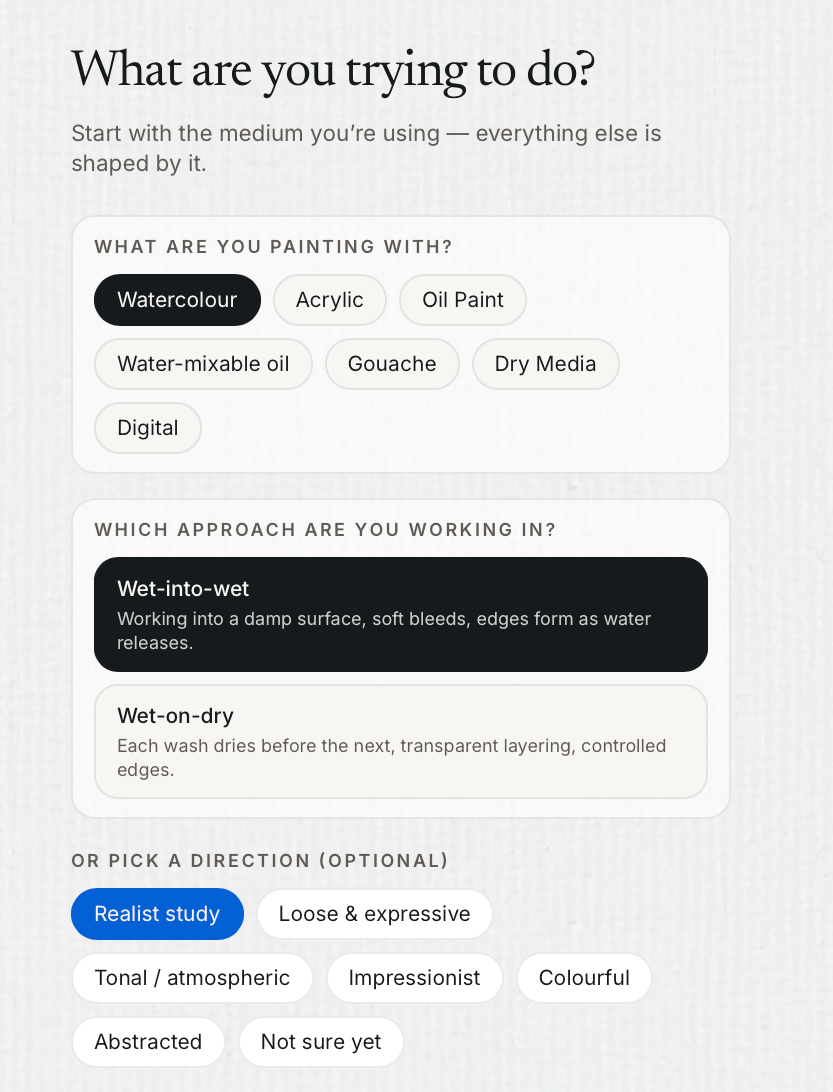
All Mediums, all techniques
ZincBlue understands the materials and techniques painters use. It works across oils, watercolour, acrylic, water-mixable oils and gouache, while accounting for dry media such as Conté, graphite, oil pastel, oil bar and chalk pastel.
Technique wise, It can help you to work alla prima, wet into wet or in indirect stages in different paint media. With more than 700 sampled colours and medium specific techniques built in, it’s made by painters for painters.
-
![]()
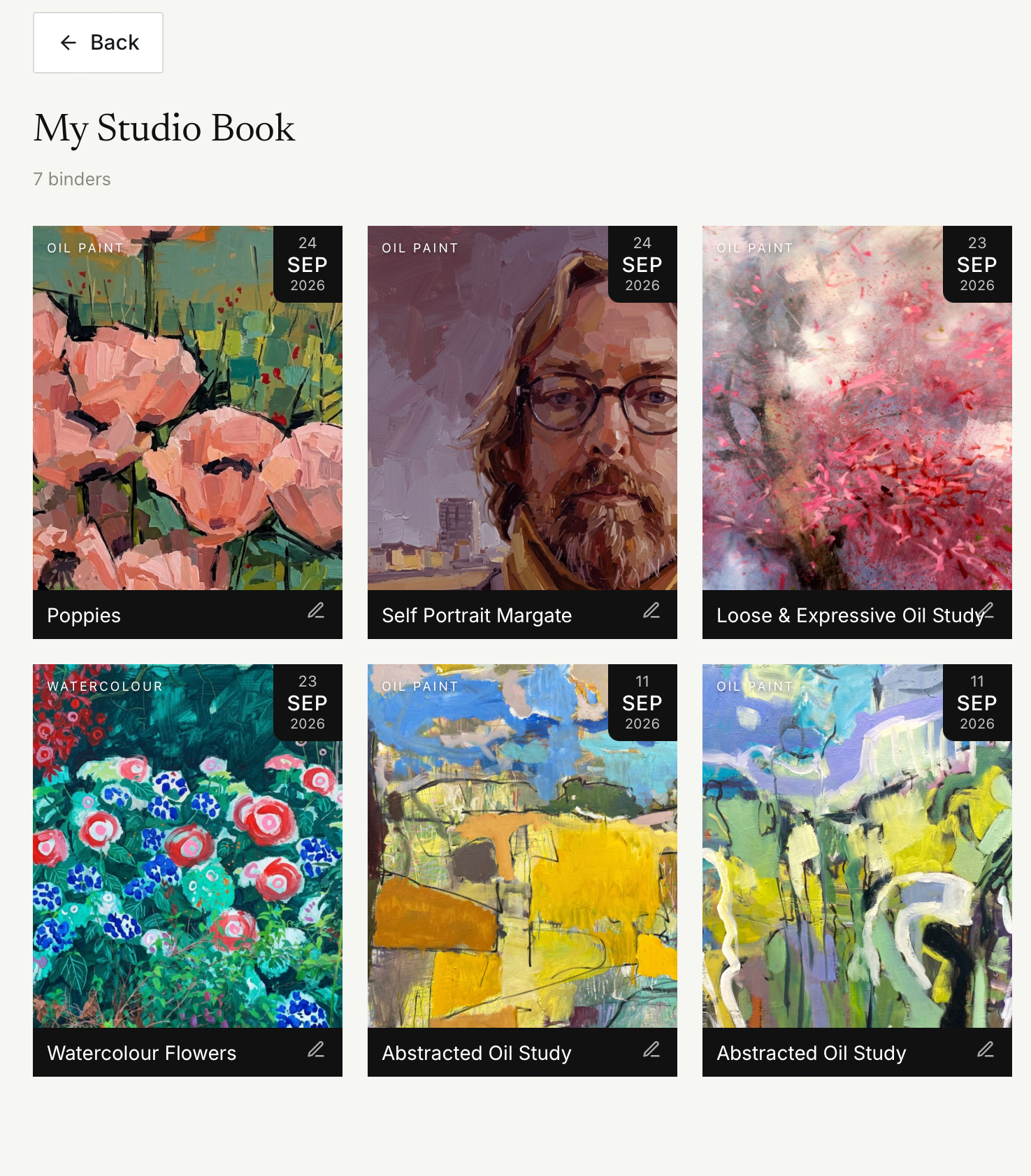
Studio Books
Turn mentoring into personalised painting books in your own project library. ZincBlue lets you save useful parts of each project, including painting plans, colour recipes, Lab images, visualisations and your own notes, so every painting youe work on creates its own bespoke Studio Book.
In this way your lessons don’t dissapear and the guidance stays organised, useful and ready when you return to the easel.
-
![]()
Studio Language
Complex observations are only useful if you can act on them. ZincBlue turns analysis into clear, practical language you can take straight to the easel. For Pro users, Zinc can also provide richer, more detailed analysis for professionals and researchers.
The built in Blue chat engine is happy to put it more clearly, offer more advice or say it another way. You can get Blue to narrate what it says or you can siply read it on screen, so you get the information you want in the way you’d like to receive it.
-
![]()
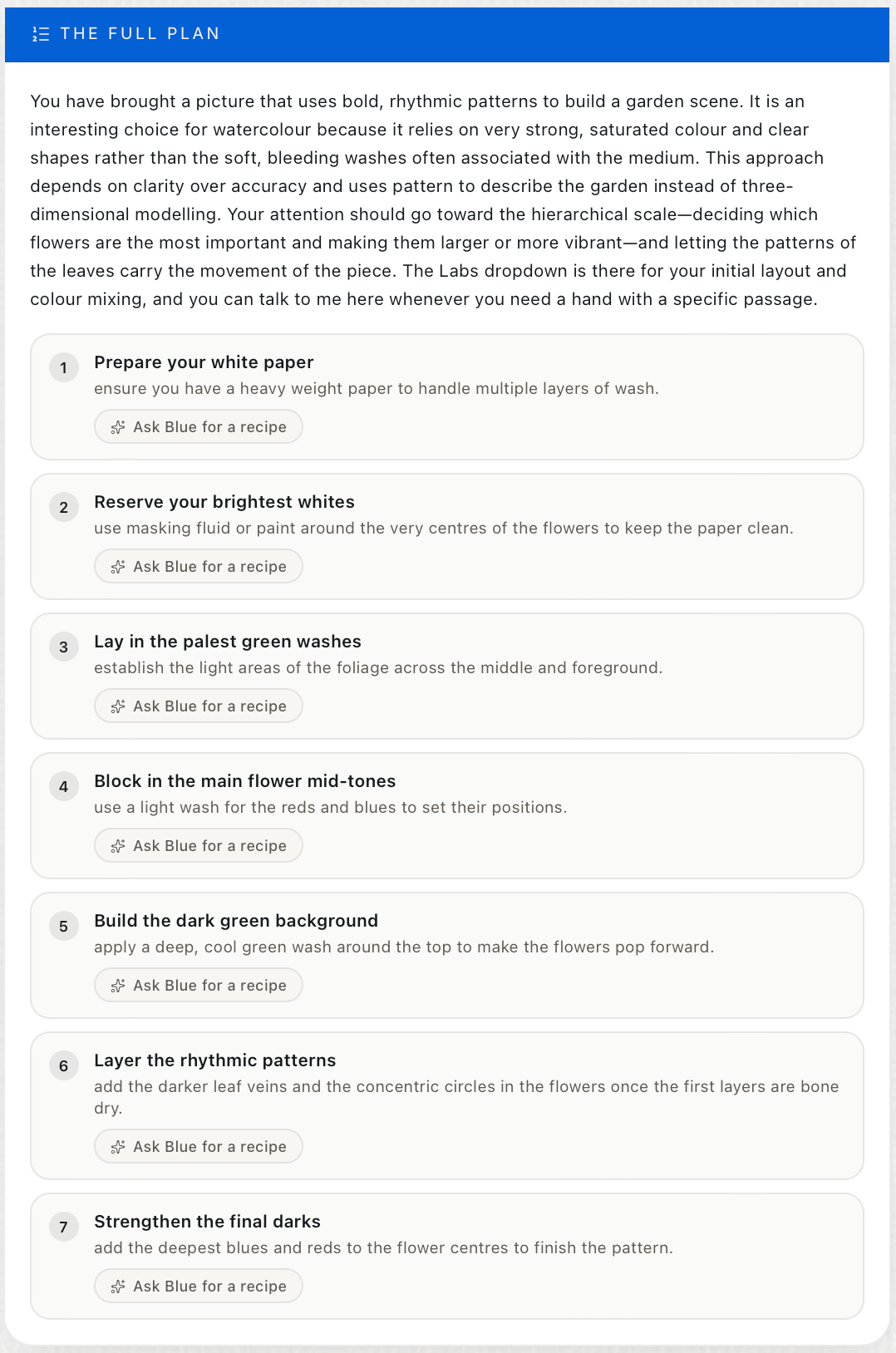
Step by Step Planner
ZincBlue helps you turn your reference into a clear, step-by-step painting plan, built around your chosen medium and the way you want to paint.
But it doesn’t stop at giving you a set of instructions. Every stage is interactive, so you can ask questions, explore alternatives and get exact recipes for colour mixing, palette choices, values, blocking-in and handling as you work.
The conversation keeps the context of your painting, your reference and the decisions you’ve already made, so each answer builds on the last.
You can move backwards, rethink a stage, try a different approach and then carry that new decision forward. It becomes a recursive studio conversation: not a fixed recipe, but a plan that develops with the painting.
-
![]()
Interactive 'Labs'
ZincBlue’s Painting Labs let you take a personalised deep dive into the key parts of your painting. Whether you want to understand colour, value, blocking-in, grisaille, temperature, saturation or palette, each Lab analyses your own work and gives you a focused critique with practical next steps.
Every Lab is linked to contextual chat, so you can question the advice, ask for exact mixes or methods, compare alternatives and keep refining the plan as your painting develops. Instead of using a generic tool in isolation, you get an interactive mentor that understands the painting you are actually making.